install k3s on centos9

配置aliyun仓库

tee /etc/yum.repos.d/centos.repo > /dev/null << 'EOF'
[baseos]
name=CentOS Stream $releasever - BaseOS - mirrors.aliyun.com
baseurl=https://mirrors.aliyun.com/centos-stream/9-stream/BaseOS/x86_64/os/
gpgcheck=1
gpgkey=file:///etc/pki/rpm-gpg/RPM-GPG-KEY-centosofficial
enabled=1

[baseos-debuginfo]
name=CentOS Stream $releasever - BaseOS Debuginfo - mirrors.aliyun.com
baseurl=https://mirrors.aliyun.com/centos-stream/9-stream/BaseOS/x86_64/debug/tree/
gpgcheck=1
gpgkey=file:///etc/pki/rpm-gpg/RPM-GPG-KEY-centosofficial
enabled=0

[baseos-source]
name=CentOS Stream $releasever - BaseOS Source - mirrors.aliyun.com
baseurl=https://mirrors.aliyun.com/centos-stream/9-stream/BaseOS/source/tree/
gpgcheck=1
gpgkey=file:///etc/pki/rpm-gpg/RPM-GPG-KEY-centosofficial
enabled=0

[appstream]
name=CentOS Stream $releasever - AppStream - mirrors.aliyun.com
baseurl=https://mirrors.aliyun.com/centos-stream/9-stream/AppStream/x86_64/os/
gpgcheck=1
gpgkey=file:///etc/pki/rpm-gpg/RPM-GPG-KEY-centosofficial
enabled=1

[appstream-debuginfo]
name=CentOS Stream $releasever - AppStream Debuginfo - mirrors.aliyun.com
baseurl=https://mirrors.aliyun.com/centos-stream/9-stream/AppStream/x86_64/debug/tree/
gpgcheck=1
gpgkey=file:///etc/pki/rpm-gpg/RPM-GPG-KEY-centosofficial
enabled=0

[appstream-source]
name=CentOS Stream $releasever - AppStream Source - mirrors.aliyun.com
baseurl=https://mirrors.aliyun.com/centos-stream/9-stream/AppStream/source/tree/
gpgcheck=1
gpgkey=file:///etc/pki/rpm-gpg/RPM-GPG-KEY-centosofficial
enabled=0
EOF

配置ip

nmcli connection modify "ens160" ipv4.method manual ipv4.addresses 192.168.213.110/24 ipv4.gateway 192.168.213.2 ipv4.dns "192.168.213.2"
nmcli connection up "ens160"

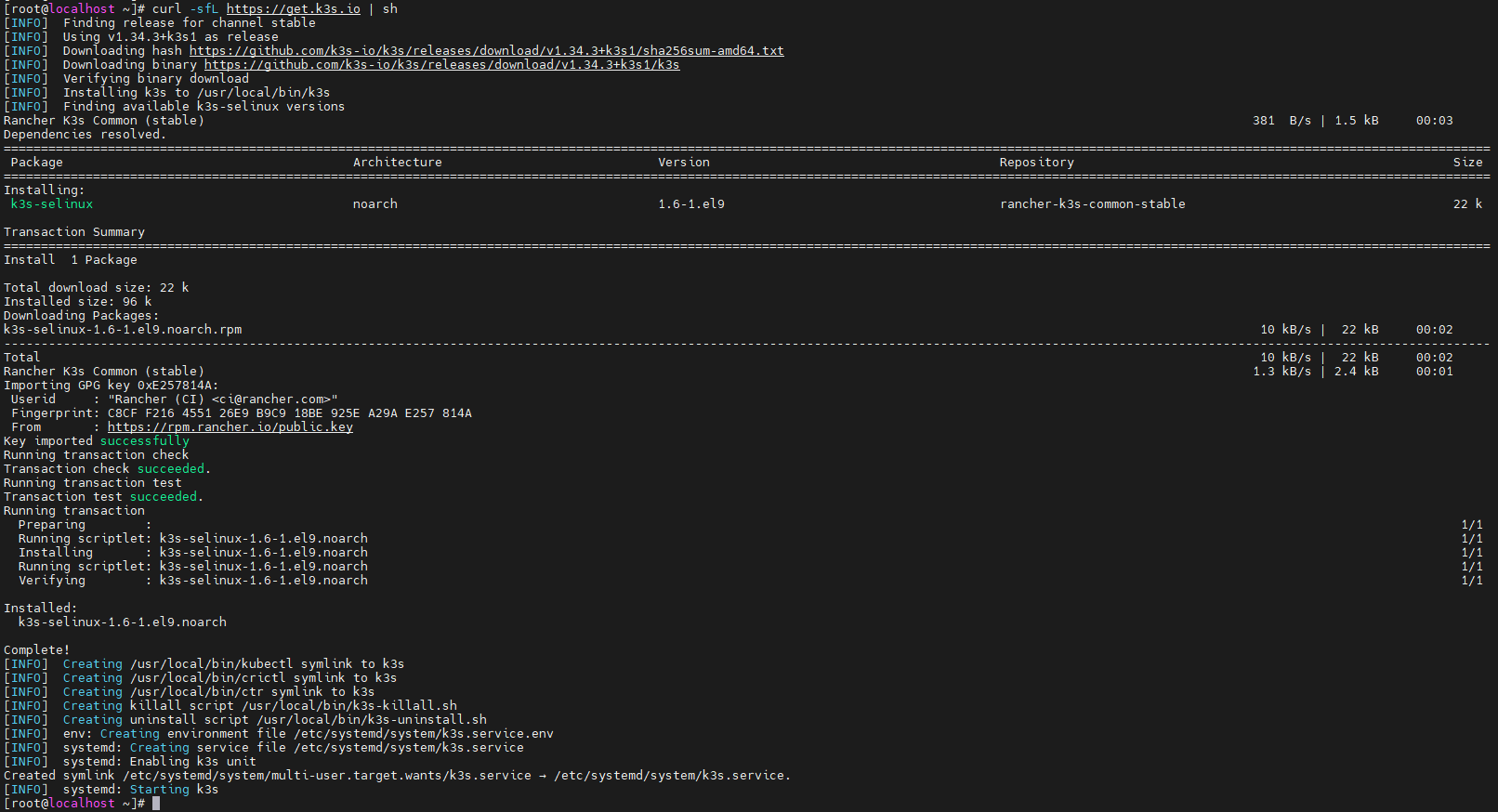
安装k3s

[root@localhost ~]# curl -sfL https://get.k3s.io | sh

k3s1

查看k3s状态

[root@localhost ~]# systemctl status k3s
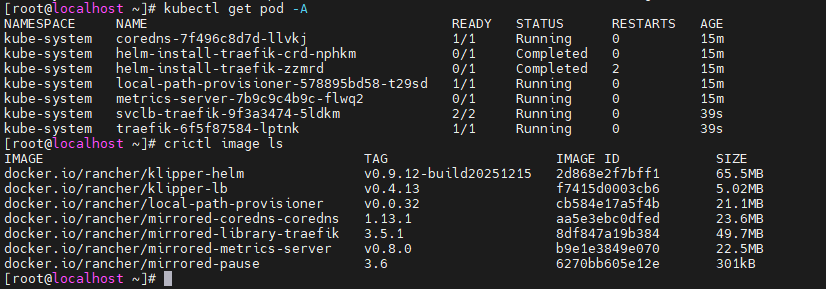
[root@localhost ~]# kubectl get pod -A
[root@localhost ~]# crictl image ls
  • 由于下载的镜像网络原因,所以状态都是failed,需要修改镜像源加速

配置镜像源加速

[root@localhost ~]# cat <<EOF > /etc/rancher/k3s/registries.yaml
mirrors:
"docker.io":
endpoint:
- "https://docker.1ms.run"
- "https://docker-0.unsee.tech"
- "https://registry-1.docker.io"
"registry.k8s.io":
endpoint:
- "https://k8s.m.daocloud.io"
EOF
[root@localhost ~]# systemctl restart k3s
[root@localhost ~]# systemctl status k3s

k3s2

通过k3s部署nginx进行测试

[root@localhost ~]# cat nginx.yaml
---
apiVersion: apps/v1
kind: Deployment
metadata:
name: nginx
labels:
app: nginx
spec:
selector:
matchLabels:
app: nginx
template:
metadata:
labels:
app: nginx
spec:
containers:
- name: nginx
image: nginx:latest
ports:
- containerPort: 80
---
apiVersion: v1
kind: Service
metadata:
name: nginx
labels:
app: nginx
spec:
ports:
- protocol: TCP
port: 8081
targetPort: 80
selector:
app: nginx
type: LoadBalancer
[root@localhost ~]# kubectl apply -f nginx.yaml
[root@localhost ~]# kubectl get pods
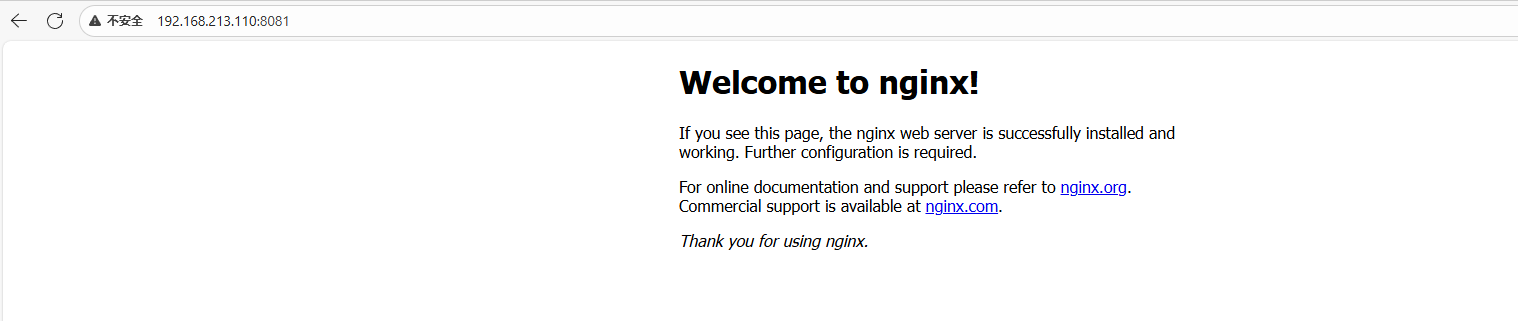
  • 当nginx部署成功后,通过如下进行访问

访问nginx服务

[root@localhost ~]# kubectl get svc
NAME TYPE CLUSTER-IP EXTERNAL-IP PORT(S) AGE
kubernetes ClusterIP 10.43.0.1 <none> 443/TCP 18m
nginx LoadBalancer 10.43.179.184 192.168.213.110 8081:30768/TCP 56s

k3s3

设置k8s config

[root@localhost ~]# mkdir -p ~/.kube
[root@localhost ~]# cp /etc/rancher/k3s/k3s.yaml ~/.kube/config
[root@localhost ~]# chown $(id -u):$(id -g) ~/.kube/config

安装helm

[root@localhost ~]# curl https://raw.githubusercontent.com/helm/helm/master/scripts/get-helm-3 | bash
% Total % Received % Xferd Average Speed Time Time Time Current
Dload Upload Total Spent Left Speed
100 11929 100 11929 0 0 23810 0 --:--:-- --:--:-- --:--:-- 23810
[WARNING] Could not find git. It is required for plugin installation.
Downloading https://get.helm.sh/helm-v3.19.4-linux-amd64.tar.gz
Verifying checksum... Done.
Preparing to install helm into /usr/local/bin
helm installed into /usr/local/bin/helm

添加rancher repo

[root@localhost ~]# helm repo add rancher-stable https://releases.rancher.com/server-charts/stable
[root@localhost ~]# kubectl create namespace cattle-system

安装cert-manager

[root@localhost ~]# kubectl apply -f https://github.com/cert-manager/cert-manager/releases/download/v1.11.0/cert-manager.crds.yaml
customresourcedefinition.apiextensions.k8s.io/clusterissuers.cert-manager.io created
customresourcedefinition.apiextensions.k8s.io/challenges.acme.cert-manager.io created
customresourcedefinition.apiextensions.k8s.io/certificaterequests.cert-manager.io created
customresourcedefinition.apiextensions.k8s.io/issuers.cert-manager.io created
customresourcedefinition.apiextensions.k8s.io/certificates.cert-manager.io created
customresourcedefinition.apiextensions.k8s.io/orders.acme.cert-manager.io created
[root@localhost ~]# kubectl create namespace cert-manager
namespace/cert-manager created
[root@localhost ~]# helm repo add jetstack https://charts.jetstack.io
"jetstack" has been added to your repositories
[root@localhost ~]# helm repo update
Hang tight while we grab the latest from your chart repositories...
...Successfully got an update from the "jetstack" chart repository
...Successfully got an update from the "rancher-stable" chart repository
Update Complete. ⎈Happy Helming!⎈
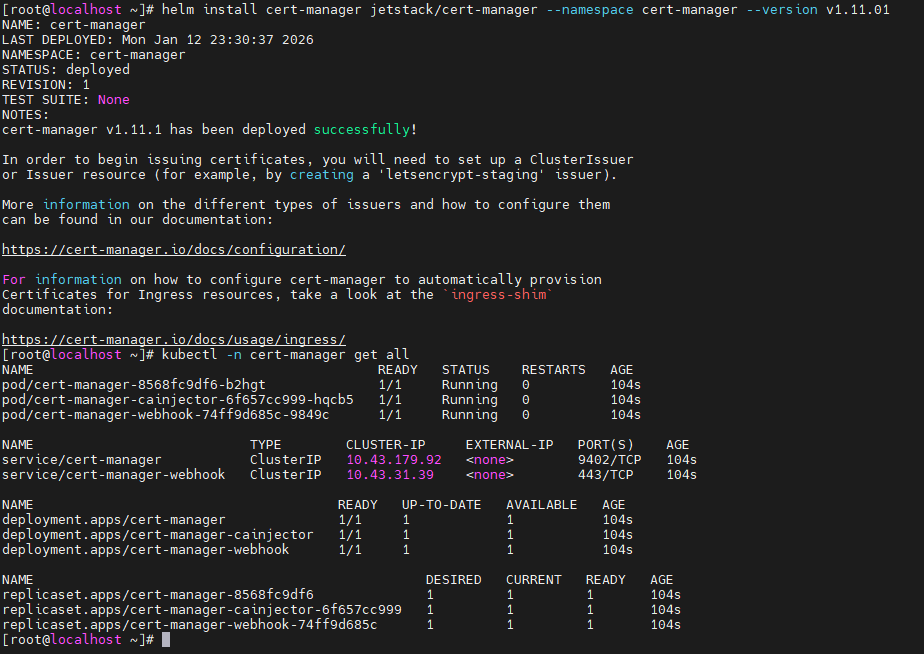
[root@localhost ~]# helm install cert-manager jetstack/cert-manager --namespace cert-manager --version v1.11.01

k3s4

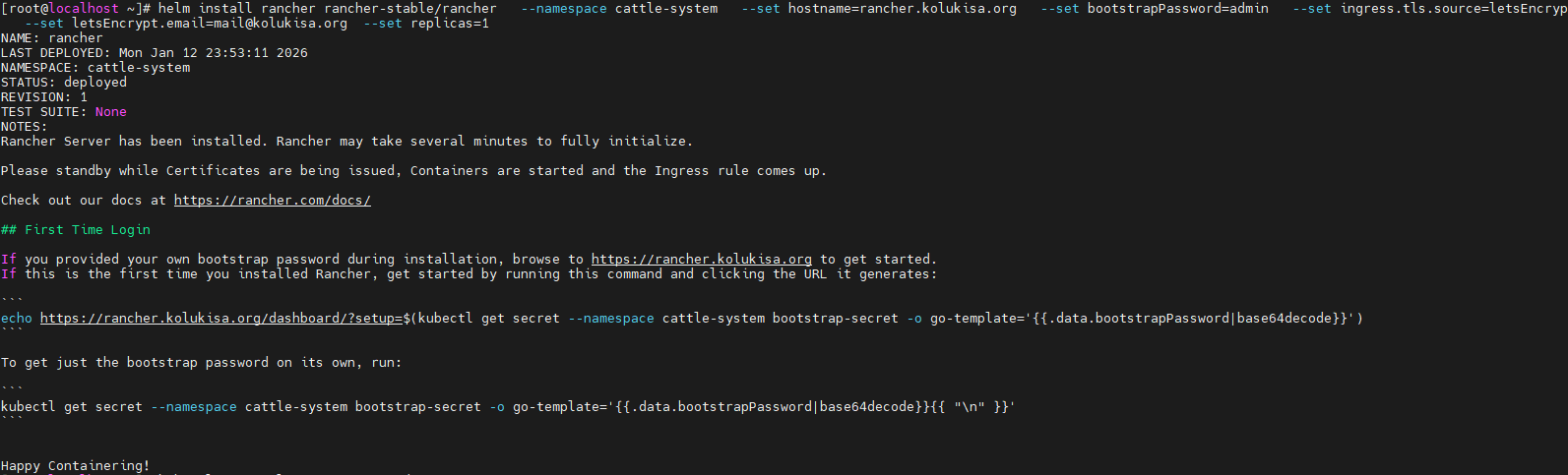
安装rancher

[root@localhost ~]# helm install rancher rancher-stable/rancher   --namespace cattle-system   --set hostname=rancher.kolukisa.org   --set bootstrapPassword=admin   --set ingress.tls.source=letsEncrypt   --set letsEncrypt.email=mail@kolukisa.org  --set replicas=1

k3s5

  • 安装完成后如下

k3s6

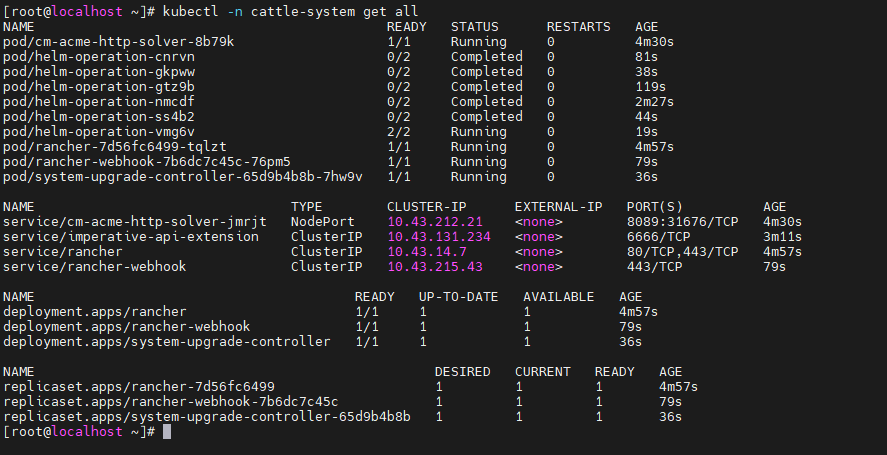
  • 将rancher的暴露方式修改为LoadBalancer
kubectl -n cattle-system edit svc rancher
  • 将type: ClusterIP修改为LoadBalancer,将443端口修改为8443,port: 80修改为8080
[root@localhost ~]# kubectl -n cattle-system get svc
NAME TYPE CLUSTER-IP EXTERNAL-IP PORT(S) AGE
cm-acme-http-solver-jmrjt NodePort 10.43.212.21 <none> 8089:31676/TCP 12m
imperative-api-extension ClusterIP 10.43.131.234 <none> 6666/TCP 11m
rancher LoadBalancer 10.43.14.7 192.168.213.110 8080:31266/TCP,8443:32137/TCP 13m
rancher-webhook ClusterIP 10.43.215.43 <none> 443/TCP 9m29s
[root@localhost ~]# kubectl -n cattle-system get ingress
NAME CLASS HOSTS ADDRESS PORTS AGE
cm-acme-http-solver-47h5w traefik rancher.kolukisa.org 192.168.213.110 80 12m
rancher traefik rancher.kolukisa.org 192.168.213.110 80, 443 13m

访问方式

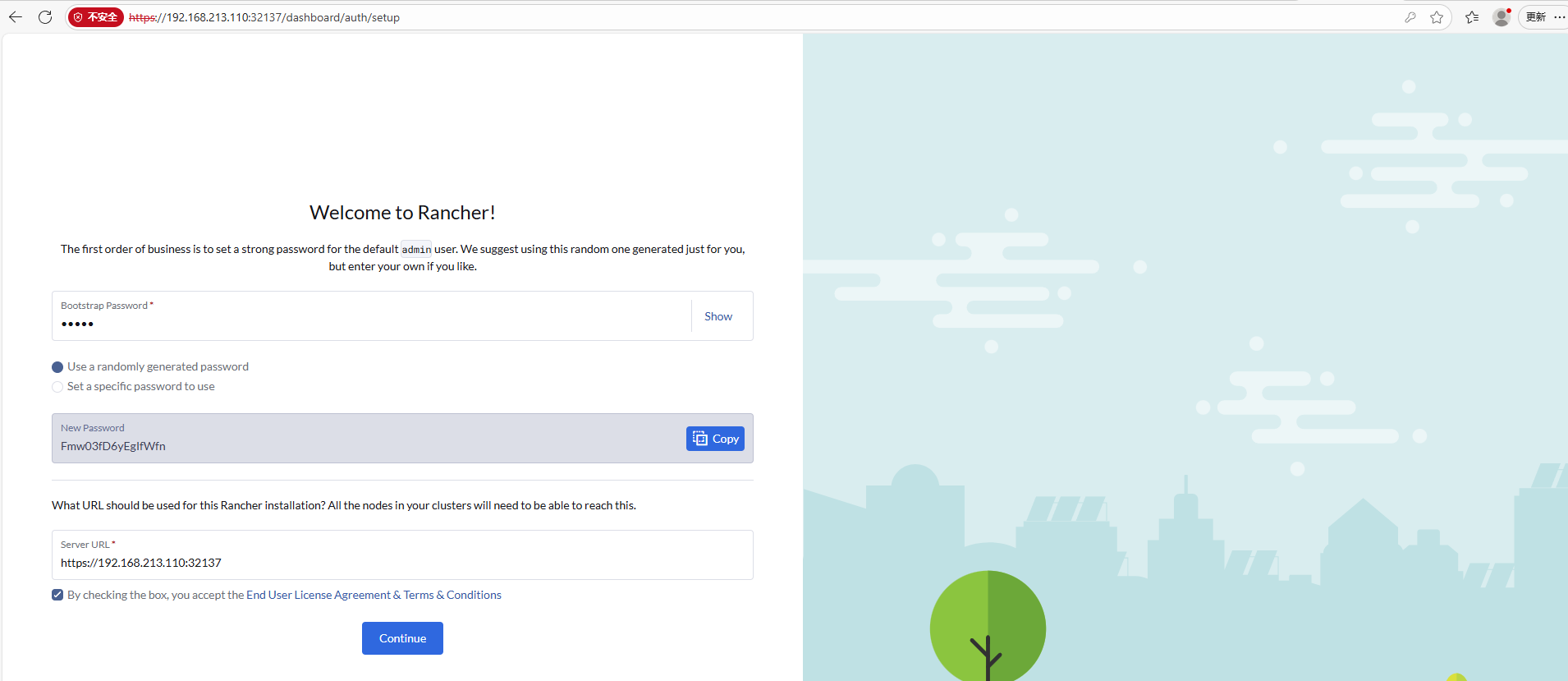
  • 通过ip+port访问

k3s7

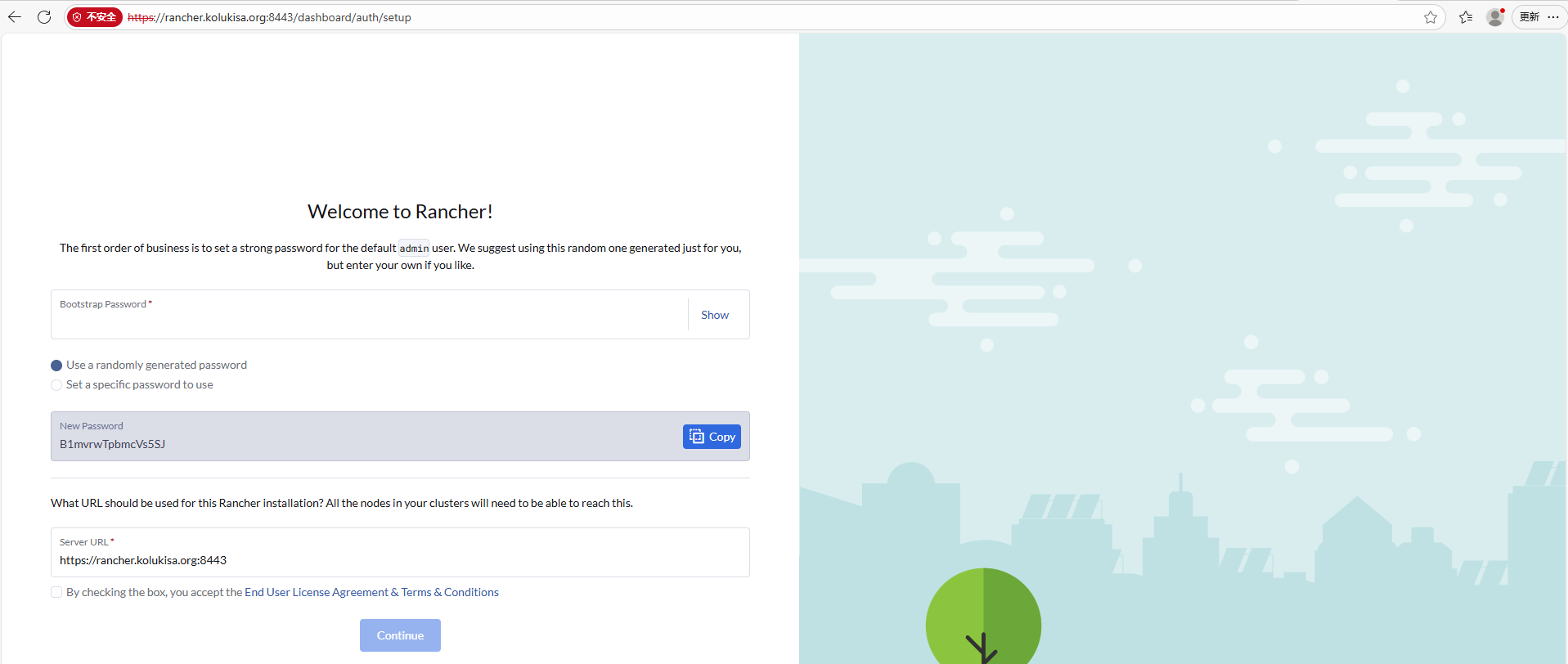
  • 通过域名访问

k3s8